'/%3E%3C/svg%3E)


'/%3E%3Cpath%20fill='%23b2b2b2'%20d='M241%20382q0%2016%2017%2026%2017%2011%2042%2011t42-11q16-11%2017-26V269H241'/%3E%3Cpath%20fill='%239f7e00'%20d='M241%20379q0%2014%208%2023%209%209%2021%209%2014%200%2021-9%209-9%209-23V269h-59'/%3E%3Cpath%20d='M241%20339v-70h59v110q0%2014-9%2023l-6%205v-68h-15v72q-8%200-14-4v-68zm59%2040c0%2022%2015%2032%2029%2032%2021%200%2030-18%2030-32v-40h-59'/%3E%3Cpath%20fill='%239f7e00'%20d='M266%20277v5h2v12h-3v-5h2v-5h-9v5h2v5h-4v9h3v18h-5v10h34v-10h-5v-18h3v-9h-4v-5h2v-5h-9v5h2v5h-3v-12h2v-5zm42%20101q0%2010%206%2017%206%206%2015%207%2010-1%2016-7%206-7%206-17v-29h-43'/%3E%3Ccircle%20fill='%230044ad'%20cx='329.5'%20cy='372'%20r='6'/%3E%3Cellipse%20fill='%230044ad'%20cx='300'%20cy='340'%20rx='16'%20ry='21'/%3E%3C/svg%3E)

Login
How to login
SlotoCash Casino gives Canadian players a quick way into their account. Whether you are signing in after a break or registering for the first time, the SlotoCash login process is built to be fast and secure.
From the homepage, click the login button in the header. Use the email and password from registration, or create an account first, then explore our Bonus offers and the mobile App.
How to Register at SlotoCash
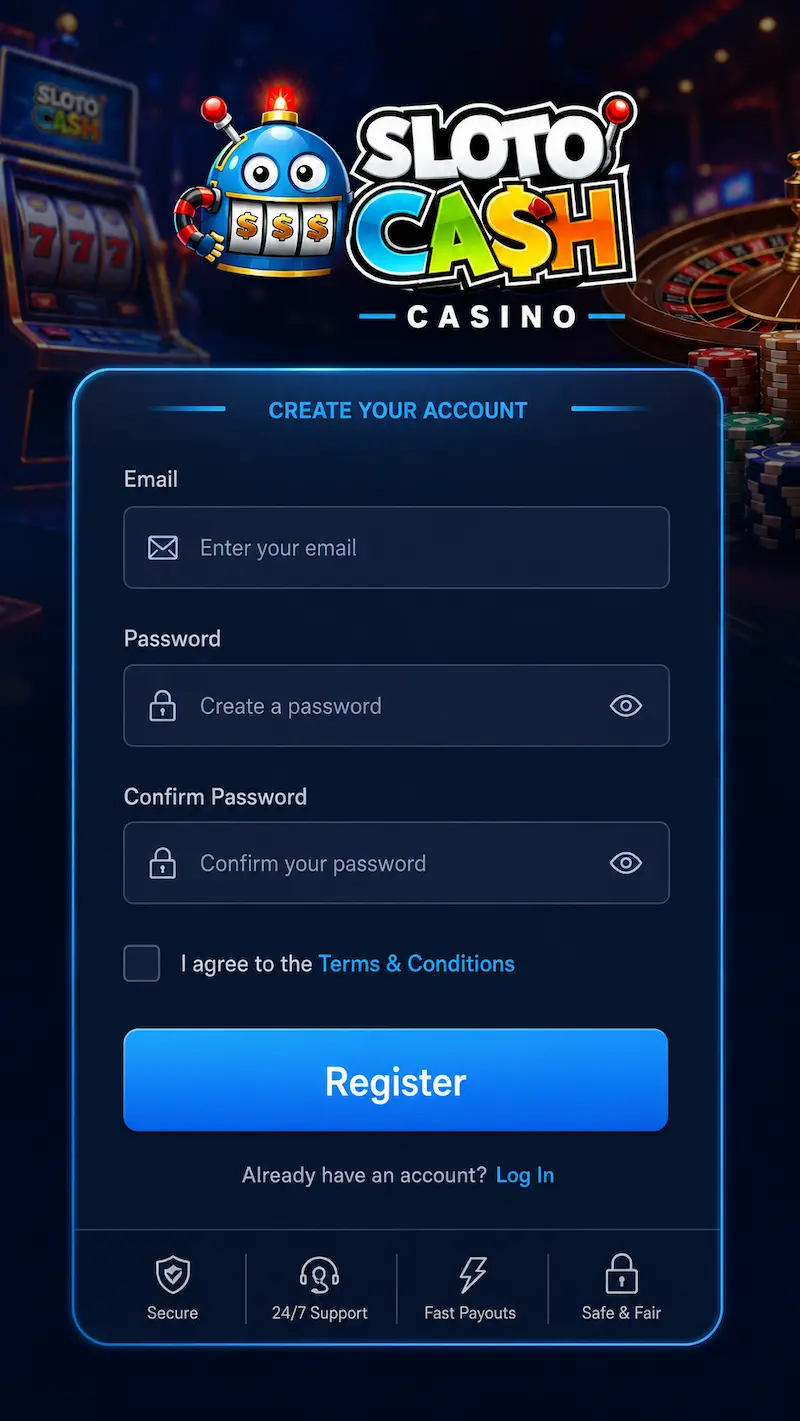
- Open our website and click Sign Up or Register on the homepage.
- Fill in your full name, date of birth, email address, and a secure password. Select Canada as your country and CAD as your account currency.
- Review the Terms and Conditions and Responsible Gaming policies, then confirm your agreement.
- Verify your email by clicking the link sent to your inbox. Your account is active once verification is complete.
Registration usually takes a few minutes. Accurate details help speed up identity checks later.
How to Log In
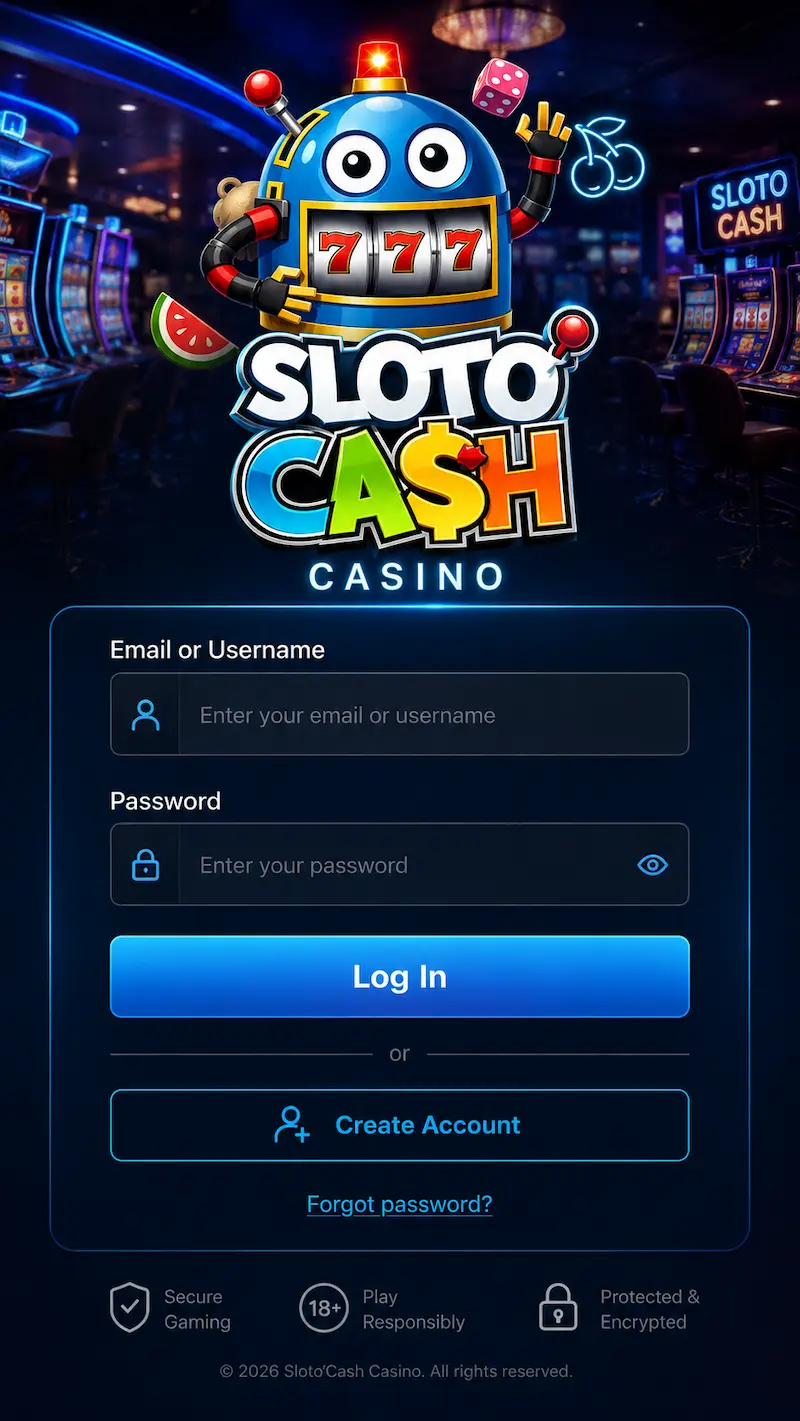
- Open our website and click Login in the header.
- Enter your registered email address and password. Check caps lock and special characters.
- Complete any extra verification step if prompted, such as email confirmation or two-factor authentication.
- After a successful sign-in, you reach your dashboard: games, deposits, withdrawals, promotions, and account settings.
The same login works on desktop and mobile browsers. For the best experience on phone or tablet, see our App page.
Account Verification
SlotoCash may ask for identity verification before your first withdrawal. This protects players and keeps transactions secure.
- Government-issued photo ID
- Proof of address: utility bill or bank statement
- Payment method confirmation where required
Verification is usually processed within 2 hours once documents are submitted. Full cashier access is enabled after approval.
Forgot Password
If you cannot access your account:
- Click Forgot Password? on the login screen.
- Enter your registered email address.
- Follow the reset link in your inbox and choose a new secure password.
- Sign in again with your updated credentials.
Check your spam folder if the email does not arrive within an hour.
Troubleshooting Login Issues
Problems with your online casino Canada account access? Try these steps:
- Double-check email and password. Retype manually instead of autofill.
- Confirm your email address has been verified.
- Clear browser cache and cookies, or try a private window.
- Disable VPN or proxy temporarily.
- Update your browser or the SlotoCash app to the latest version.
If login still fails, contact support through live chat or the contact form on our website.
Security
Every secure account session on SlotoCash is protected by:
- SSL encryption on data transmission
- Strong password requirements at registration
- Optional two-factor authentication where available
- Monitoring for suspicious login activity
Log out on shared devices. Never share your password. Support staff will never ask for it.
For privacy and platform rules, read our Privacy Policy, Terms and Conditions, and Responsible Gaming pages.
Last updated: June 2026